
Cloud
qcow2 image with cloud-init for OpenStack, KVM/libvirt and Proxmox. It boots ready, with the portal on HTTPS.
- SSH key and network from cloud-init
- HTTPS (443) and SSH management open from the start
- The same image tested on every build
Version 1.0 · preview
StrongFirewall is a firewall appliance built on StrongLinux. Zone-based policies, NAT, routing, VPNs and high availability, all from a web portal in English, Portuguese and Spanish, with a revision and rollback for every change.
qcow2 image with cloud-init for OpenStack, KVM/libvirt and Proxmox. It boots ready, with the portal on HTTPS.
Hybrid ISO (BIOS and UEFI). Run it in live mode to try it, or install it to disk with strongfw-install.
Zones, address and service objects, schedules, security policies and NAT (SNAT, DNAT, masquerade, pools), enforced with nftables.
Site-to-site IPsec (strongSwan), SSL VPN with MFA, L2TP, L2TP over IPsec, GRE and DSVPN (mGRE + NHRP + IPsec).
StrongFirewall VPN for Windows and Linux: downloads the profile from the firewall, pins the certificate on first use and never stores the password on disk.
Static routes, VRF, OSPF, BGP and RIP (FRR); active/standby high availability with VRRP and session sync.
Every change becomes a revision: preview what will be applied, commit it, and roll back to any earlier revision.
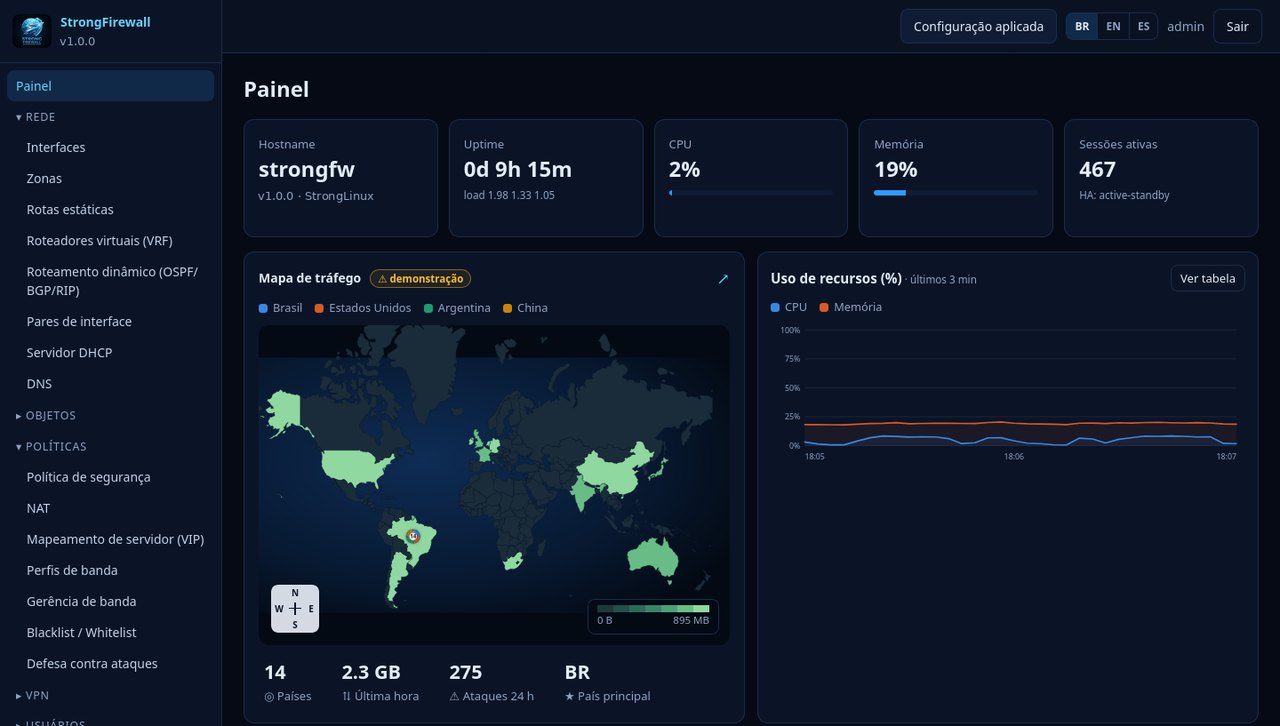
Dashboard with a per-country traffic map, top 10 IPs and services, sessions, VPN monitors, packet capture and a full audit log.
After booting the image or installing from the ISO:
# 1. find the IP (console or cloud panel)
$ ip -br addr
# 2. in a browser, open https://<IP>/portal/
# 3. sign in as admin / Strong@Firewall#1 and change the password
The default password must be changed on first login, both in the portal and on the console/SSH (user strongfirewall). Read the guide.